English-Speaking Computer Technicians for Expats in Lisbon
Find your computer technician who speaks English.
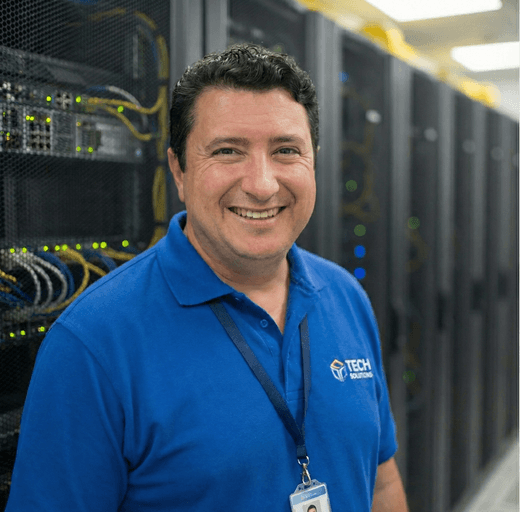
Tian
Tian speaks

Samuel
Samuel speaks
Pedro
Pedro speaks
Vladimir
Vladimir speaks
I hired Tian to help build a computer and he made it very easy. If I needed a new part, he would run out, grab it, and come back, no...
When my professional laptop had a charging issue, I turned to Samuel on my father's recommendation. Though unsure of the exact problem, I trusted Samuel's advice to fix rather than...
Pedro fixed a lighting issue in my bathroom - pretty straightforward really. He was quick to respond, came really quickly, communicated in English, and left everything clean. He’s a friendly,...
I almost gave up on my laptop after being told it was beyond repair, but Vladimir proved everyone wrong. He quickly diagnosed the water damage, fixed it, and even assured...
Frequently Asked Questions
Look for technicians who explicitly offer English-speaking support and have consistent reviews from expats in Lisbon. Prioritise clear, upfront communication, written diagnostics, and transparent quotes. Ask about turnaround times, warranties, and whether they provide WhatsApp contact for quick updates. Check they list services like laptop repair, data recovery, and network setup.
Expect diagnostics around €15, €40, hourly labour €25, €60, laptop screen replacement €90, €200+, SSD upgrades €70, €150, and data recovery €100, €500+, depending on complexity and parts. All prices are set by each technician and paid directly to them. Always request a written estimate and confirm any call‑out fees.
Many Lisbon computer technicians offer on‑site home computer repair across central neighbourhoods and remote IT support via secure tools. Remote sessions suit software issues, while hardware faults may need collection or a call‑out, sometimes with a small surcharge. Confirm availability, coverage areas, and minimum charges before booking.
Simple software fixes and virus removal can be same‑day, while diagnostics typically take 2, 24 hours. Hardware repairs like battery or screen replacement are usually 1, 3 working days, depending on parts availability in Lisbon. Data recovery and liquid damage often require longer, ask for a realistic turnaround window.
Yes, most technicians in Lisbon handle both Apple Mac repair and Windows PC troubleshooting, and many also support laptops from major brands. Check their experience with your exact model (e.g., MacBook Pro with T2/Apple Silicon or gaming laptops). This ensures correct parts, tools, and data‑safe repair procedures.
Reputable technicians follow privacy best practices, but it’s wise to back up your data and sign out of sensitive accounts before handing over your device. Enable disk encryption (FileVault or BitLocker) if possible and request a written data‑handling agreement. Ask whether cloning or data recovery is required.
Repairs in Lisbon commonly include a limited warranty, often 30, 90 days on labour and parts fitted, though terms vary between shops. Clarify what’s covered (part defects vs. accidental damage) and whether refurbished parts affect warranty length. Keep your invoice for any follow‑up support.
Yes, technicians can set up a home office in Lisbon, including Wi‑Fi optimisation, router and mesh configuration, VPN, printers, multiple monitors, and secure backup. They can also advise on surge protection and UPS for power stability. Request a site survey and itemised quote for equipment and labour.
Same‑day or out‑of‑hours computer repair is available in Lisbon, subject to technician schedules. Expect higher rates or a call‑out premium for evenings and weekends. For urgent cases, share your device model, symptoms, and location upfront to speed triage and ensure the right parts are on hand.
Share your device brand, exact model, operating system, serial number, symptoms, error messages, and any recent changes or spills. Include photos, preferred times, and whether you need on‑site or remote support. Ask for an itemised estimate covering diagnostics, parts, labour, timeline, and warranty.
Most viewed categories
Dos and Don’ts to choose the right Computer Technicians as an Expat
Key dos and don’ts for selecting the ideal computer technician
Select a technician who offers quick and responsive communication. Customer feedback highlights the importance of providers who are readily available for questions and support, ensuring transparency and timely assistance during troubleshooting.
Choose technicians who take the time to thoroughly diagnose issues before suggesting repairs. Positive reviews indicate that this approach not only ensures an accurate assessment but also may save you money by avoiding unnecessary purchases.
Opt for providers who are upfront about repair costs and options. Customers appreciate technicians who suggest repairs over replacements, reflecting transparency in pricing and demonstrating a commitment to genuinely help resolve issues.
When selecting a service provider, check their warranty and support policies. Positive experiences note generous warranties and support for post-service issues, which is crucial for long-term satisfaction and peace of mind regarding your investment.
Inquire about expected turnaround times for repairs and services beforehand. Look for technicians known for their reliable timelines, as many customers appreciate prompt service and feel dissatisfied when delays occur without clear communication.
Ensure you inquire about warranty policies before making any purchases or repairs. Some service providers may offer limited or unclear warranties, which could lead to unexpected costs down the line if your product runs into issues after the initial support period.
Be wary of service providers who do not clearly explain repair costs or options. Transparency is key; a good technician should be upfront about potential expenses and alternatives, rather than pushing for a costly fix without exploring more economical solutions.
Choose technicians who maintain open lines of communication and show a willingness to respond promptly. Poor communication can lead to misunderstandings, delays, and frustration, making it crucial to ensure the provider values customer interaction.
Be cautious with service providers who do not adhere to their estimated timelines. A technician who cannot stick to promised completion times may affect your planning, so always clarify and confirm deadlines for repairs or services.
Selecting the right computer technician is vital for ensuring your technology operates smoothly and efficiently. By adhering to these dos and don’ts, you can navigate the selection process with greater ease and confidence, ultimately leading to a positive experience. Remember, effective communication, thorough diagnostics, and transparency in costs are your allies. Avoiding hasty decisions and ensuring clarity on warranties and timelines will safeguard you against potential setbacks. With these guidelines in hand, you'll be poised to find a technician who not only meets your technical needs but also fosters trust and reliability in your ongoing tech journey.


Why Choose Locallista?
Your trusted platform for finding local services in your community. We connect you with verified professionals who understand your needs.
Connect with trusted professionals who understand your needs and speak your language.